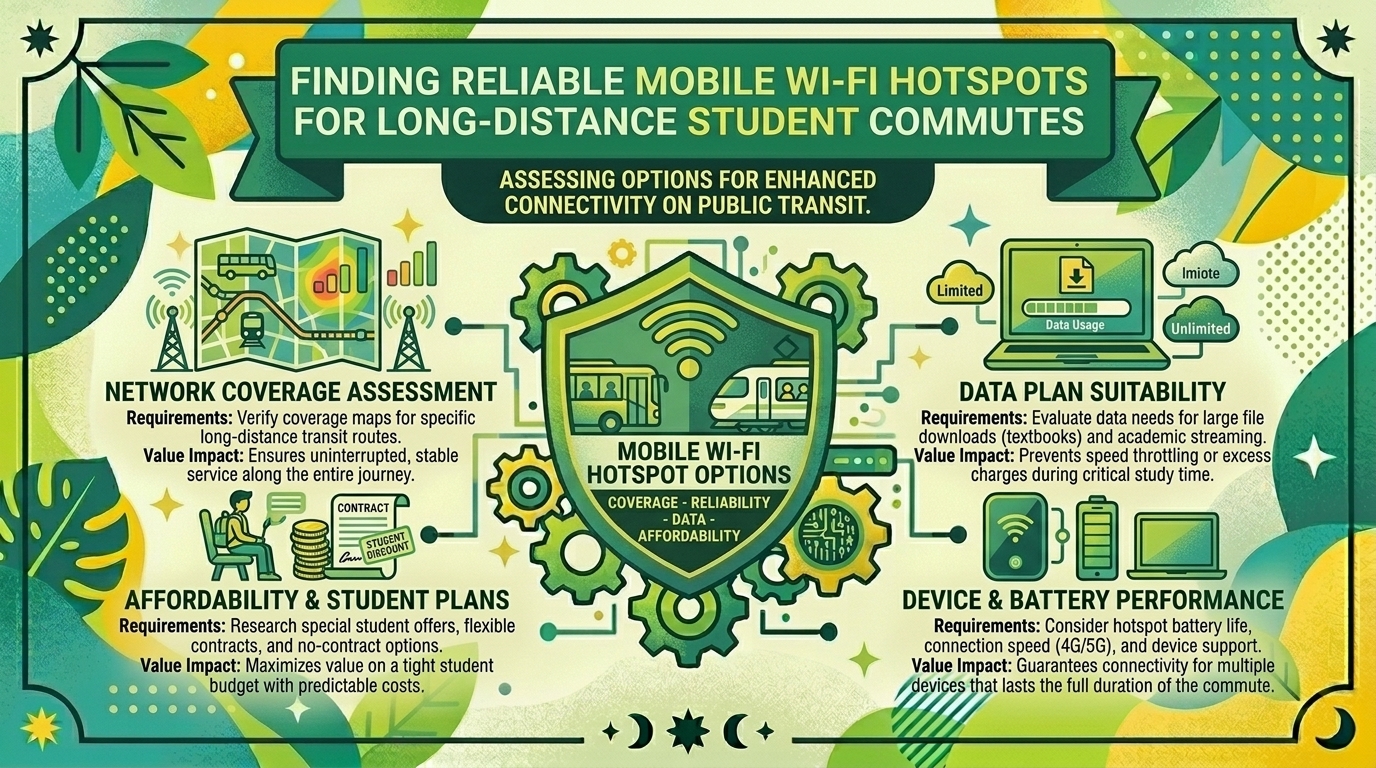
Which Mobile Wi-Fi Hotspot Options Provide Reliable Connectivity for Students Commuting Long Districts on Public Transit?
Introduction
Higher education today is increasingly mobile. Whether you are navigating massive transit corridors in New York, riding commuter trains across California, catching buses through Washington, commuting between campuses in Texas, or moving across the Bay Area into San Francisco, thousands of students spend hours every week traveling on public transit.
For the modern commuter student, this transit time is precious. Instead of letting hours slip away on crowded subways, commuter rail lines, and buses, students use this window to catch up on asynchronous lecture videos, complete online discussion boards, review flashcards, research academic journals, or upload tight-deadline assignment submissions.
However, relying on erratic, unsecured free public transit Wi-Fi (such as station-based or onboard municipal hotspots) is an exercise in frustration. Free transit networks routinely suffer from massive latency spikes, sudden connection drops, severe bandwidth throttling, and major security vulnerabilities that expose personal student accounts to malicious packet sniffing.
To turn a daily commute into a productive, secure mobile study hall, students need a dedicated, reliable mobile Wi-Fi hotspot solution. This comprehensive guide explores the best hardware options, cellular data plans, and technical strategies to maintain high-speed connectivity across long-distance public transit commutes.
The Unique Connectivity Challenges of Public Transit Commuting
Before evaluating specific mobile hotspot devices and data plans, it is vital to understand why maintaining a stable connection on moving public transit is technically difficult:
- Cell Tower Hand-Offs (The Doppler Effect): As a commuter train or bus hurtles down a track or highway at high speeds, your cellular device must constantly hand off its connection from one cell tower to the next. Weak internal antennas struggle with these rapid transitions, leading to sudden dropouts.
- Faraday Cage Effects: Modern commuter railcars and subway carriages are constructed with thick metal frames, reinforced safety glass, and electronic shielding that drastically attenuates cellular signals. A smartphone inside a crowded train often experiences a 30% to 50% drop in signal strength compared to standing outside.
- High Network Congestion: During peak morning and evening rush hours, thousands of commuters in major urban hubs like San Francisco or New York hit the same cellular base stations simultaneously. This congestion can severely choke mobile bandwidth if your plan lacks high-priority data routing.
Types of Mobile Wi-Fi Solutions for Students
When outfitting yourself for a mobile study commute, you generally choose between three distinct hardware and connectivity categories:
1. Dedicated Mobile Hotspot Devices (Pocket Routers)
Dedicated standalone hardware (such as Netgear Nighthawk series, Inseego MiFi, or carrier-branded hotspots) features internal batteries and high-gain cellular modems dedicated solely to broadcasting Wi-Fi.
- The Advantage: They offload processing and battery drain from your laptop and smartphone. High-end models feature multi-band carrier aggregation and physical antenna ports to punch through metal transit carriages.
- The Disadvantage: Requires carrying an extra standalone device and managing a separate data subscription or SIM card.
2. Smartphone Tethering (Personal Hotspots)
Using your existing smartphone as an on-demand Wi-Fi access point for your laptop or tablet.
- The Advantage: Zero extra equipment to buy, charge, or pack. It leverages your phone’s already paid-for cellular plan.
- The Disadvantage: Heavy hotspot usage drains your smartphone battery rapidly. Furthermore, many standard smartphone plans cap high-speed tethering data or throttle speeds after a modest threshold (e.g., 15GB to 50GB per month).
3. 5G Home/Mobile Hybrid Routers
Compact, battery-backed cellular gateways designed to bridge mobile flexibility with desktop-grade Wi-Fi stability. Ideal for graduate students who carry multiple devices (laptop, tablet, e-reader) and require continuous, uninterrupted session stability.
Comprehensive Evaluation of Top Mobile Hotspot Devices
1. Netgear Nighthawk M6 Pro (5G WiFi 6E Mobile Hotspot)
- Best For: Power users, heavy video streamers, and graduate students needing maximum throughput.
- Core Performance: Powered by high-end Qualcomm Snapdragon X65/X75 modems, the M6 Pro supports blazing-fast 5G sub-6 GHz and mmWave bands, alongside Wi-Fi 6E architecture to connect up to 32 devices simultaneously.
- Transit Capability: Features external antenna ports (TS-9 connectors), allowing users to attach mobile signal booster antennas if commuting through rural or underground rail tunnels.
- Pros: Unmatched speed; touchscreen management interface; removable battery; doubles as a portable travel router.
- Cons: Premium retail price point; bulkier than entry-level pocket hotspots.
2. Inseego MiFi X PRO 5G (T-Mobile / Verizon variants)
- Best For: Enterprise-grade security and reliable all-day campus commutes.
- Core Performance: Built with robust hardware encryption, dual-band Wi-Fi 6, and enterprise security features that protect sensitive student research data from public sniffing.
- Transit Capability: Offers excellent battery pass-through charging and quick sleep-wake transitions, ensuring minimal connection downtime as your train moves through varying coverage zones.
- Pros: Highly dependable connection stability; strong battery life; secure admin controls.
- Cons: Carrier-locked depending on the purchasing channel; interface can feel corporate and rigid.
3. Alcatel Linkzone 5G / T-Mobile Hotspot
- Best For: Budget-conscious undergraduate students seeking reliable entry-level connectivity.
- Core Performance: Delivers solid 4G LTE and entry-level 5G speeds, handling standard web browsing, Google Docs, Canvas/Blackboard LMS navigation, and Zoom audio-only classes with ease.
- Transit Capability: Lightweight, pocket-friendly design that easily slides into a backpack pocket or jacket alongside a smartphone.
- Pros: Highly affordable; simple setup; lightweight.
- Cons: Lacks advanced Wi-Fi 6E speeds; lower device connection ceilings.
Carrier Data Plan Considerations for Commuter Students
Hardware is only half the equation; a mobile hotspot is completely useless without a robust cellular data plan behind it. When selecting a carrier plan for transit commuting, watch out for the following criteria:
- Unthrottled High-Speed Data Caps: Avoid plans with low priority caps. If your plan limits you to 15GB of high-speed hotspot data before dropping speeds to 3G, you will burn through your allowance within your first week of watching asynchronous lecture videos.
- Carrier Coverage Maps in Your Region: If your commute crosses regional rail lines (such as Caltrain in California, Metro-North in New York, or Sound Transit in Washington), verify which major carrier (Verizon, T-Mobile, or AT&T) has the strongest uninterrupted trackside coverage.
- Prepaid vs. Postpaid Flexibility: Many students prefer month-to-month prepaid mobile data plans, allowing them to pause or scale down their data packages during summer and winter breaks when daily transit commuting stops.
Actionable Tips for Optimizing Transit Connectivity
- Position Near Windows: When sitting on a bus or train, try to secure a window seat. Metal train frames and tinted safety glass block cellular signals; being closer to the window reduces physical signal attenuation.
- Download Offline Content First: Do not waste valuable mobile data streaming 4K video or downloading massive 500-page PDF textbooks while on a moving train. Download your readings, offline Spotify playlists, and pre-recorded lecture videos via home Wi-Fi the night before.
- Disable Background Cloud Syncing: While commuting on a hotspot, turn off automatic background backups for Apple iCloud, Google Photos, or Dropbox. A sudden background photo backup can consume gigabytes of precious mobile data in minutes.
- Use a VPN for Public Airwaves: While your personal hotspot creates a private Wi-Fi bubble, always use a trusted Virtual Private Network (VPN) when logging into university student portals or banking systems from transit stations.
10 Frequently Asked Questions (FAQs)
1. Is free public transit Wi-Fi safe for checking university accounts?
No. Free municipal or transit-system Wi-Fi networks are generally unencrypted open networks. Malicious actors can easily intercept traffic on these networks via man-in-the-middle attacks, putting your student passwords and personal data at risk. A private mobile hotspot is infinitely safer.
2. Can I use my smartphone as a hotspot instead of buying a dedicated device?
Yes. Smartphone tethering works exceptionally well for light tasks like checking emails or submitting quick assignments. However, for heavy multi-hour commuting sessions involving laptop work, video lectures, and continuous device usage, a dedicated hotspot prevents your phone from overheating and draining its battery.
3. Why does my mobile hotspot disconnect every time my train enters a tunnel?
Tunnels block radio frequency signals entirely. When you enter a tunnel, your hotspot loses line-of-sight with surface cell towers. High-end hotspots re-establish a connection much faster than standard phones once you exit the tunnel, but absolute dropouts during subterranean stretches are unavoidable.
4. How much data do I need per month for a commuting student?
For moderate studying (reading, submitting assignments, occasional video lectures), 30GB to 50GB per month is usually sufficient. If you frequently stream high-definition video lectures or participate in live Zoom classes while commuting, look for unlimited data plans with high priority thresholds.
5. What is the advantage of a mobile hotspot with external antenna ports?
External antenna ports (like TS-9 connectors) allow you to plug in portable signal booster antennas. This is extremely beneficial for students commuting on rural or long-distance regional rail lines where cellular towers are miles apart.
6. Do mobile hotspots work internationally for study-abroad students?
Some high-end unlocked mobile hotspots support global frequency bands. By swapping in a local foreign SIM card upon arrival abroad, you can maintain secure, portable Wi-Fi just like you do during your domestic commute.
7. Does connecting multiple devices to my hotspot slow down my internet speed?
Yes. The available cellular bandwidth is shared across all connected devices. If you connect your laptop, tablet, and phone simultaneously, high-bandwidth activities on one device will temporarily impact speeds on the others.
8. How can I prevent my mobile hotspot from draining its battery too fast?
Lower the Wi-Fi broadcast range to “Short” or “Energy Saving” mode in your hotspot settings, reduce the screen brightness on the device interface, and turn off the hotspot when you finish working. Many models also support USB tethering to your laptop, which charges the hotspot while in use.
9. Are 5G hotspots noticeably faster than 4G LTE models for commuting?
In areas with robust 5G coverage (such as San Francisco, New York, or major metropolitan hubs in Texas), 5G hotspots offer significantly lower latency and faster download/upload speeds. In rural transit corridors, they automatically fall back to reliable 4G LTE.
10. Can I get student discounts on mobile hotspot data plans?
Major cellular carriers occasionally offer promotional student discounts or back-to-school data bundle packages through university bookstores or online education portals. Always check with carrier customer service to see if your university email qualifies for promotional rates.
Conclusion
Long public transit commutes do not have to be wasted time. Whether you are navigating dense urban transit systems in San Francisco and New York, or riding commuter lines across California, Washington, and Texas, maintaining a reliable connection transforms travel hours into productive study windows.
Leave a Reply